Matrix Vault is an all-in-one private suite — an encrypted vault, password manager, private browser and end-to-end encrypted messenger — protected by AES-256 encryption, disguised behind an everyday app, with an optional deniable second vault only you know exists.
Coming soon to the App Store · iPhone & iPad
Your dataDecoy data
Hides in plain sight
Looks like an everyday app
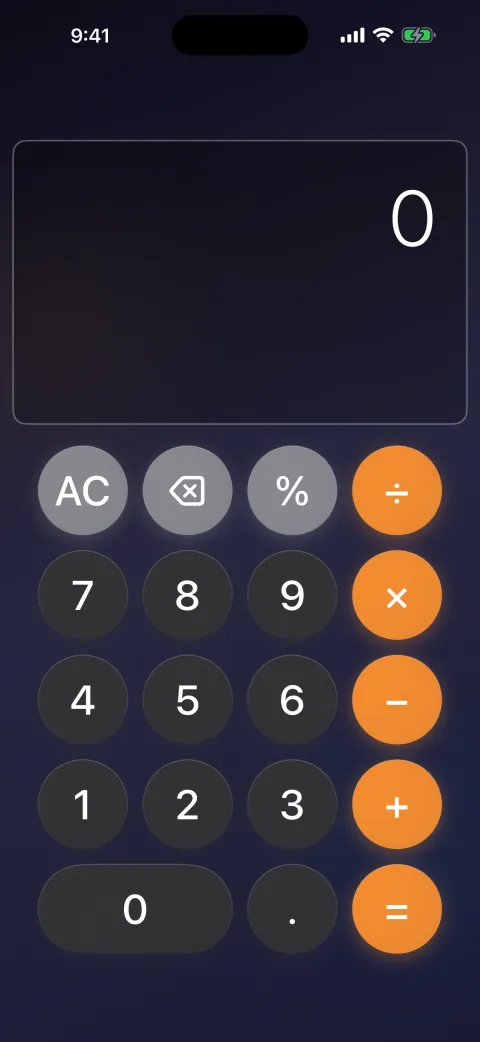
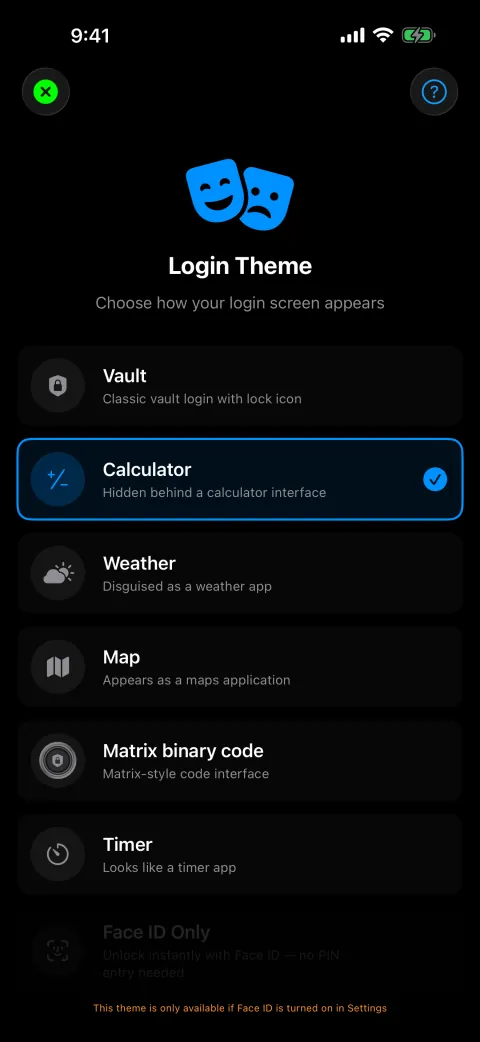
Matrix Vault opens behind a working calculator, weather or timer screen. Only your secret entry reveals the real vault — and a second, deniable vault means even an unlock under pressure gives nothing away.
Pick the disguise below, then reveal what's really inside.
A second “duress” vault opens with its own PIN — fully working, and filled with whatever you choose.
Nothing anywhere hints that a hidden vault exists.
1,024
7
8
9
÷
4
5
6
×
1
2
3
−
0
.
=
+
AES-256 encryption
Encrypted on your phone. Keys guarded by its hardware.
Everything you add is encrypted right on your device before it's stored. The key that unlocks it is sealed inside your iPhone's secure hardware — so even a full copy of your phone's storage is just unreadable noise without the device itself.
AES-256 encryption — the standard trusted for top-secret data.
Your key is locked by your PIN and wrapped by the Secure Enclave.
Your vault is never stored in readable form, on your phone or our servers.
Your data
Seed phrase: ripple ladder
ocean velvet harbor maple
ID passport · 4839 2271
Note: meet at the usual spot
Key sealed in the Secure Enclave — bound to this iPhone.
What's the safest way to store my crypto seed phrase?Add it as a Crypto Wallet entry in the password manager. It's encrypted on your device with the same key as the rest of your vault, and that key is sealed inside your iPhone's secure hardware.Explain a featureWhat exactly is the duress vault?It's a second, completely separate vault with its own PIN and content. If you're ever forced to unlock the app, you open that one instead — your real vault stays hidden, and nothing anywhere reveals it exists.Draft a messageHelp me politely decline a meeting tomorrow.Here's a draft: “Thanks for the invite! I won't be able to make tomorrow, but I'd love to find another time that works — could you share a couple of options?”TranslateHow do I say “I'll message you tonight” in Japanese?今夜メッセージします (kon'ya messēji shimasu). In chat, you can also tap any incoming message to translate it.Get adviceIs it safe to reuse the same password everywhere?Better not to — if one site is breached, every account is exposed. Let the built-in generator make a strong, unique password for each login; the vault remembers them all so you don't have to.
AI built in
A helpful AI, built right in
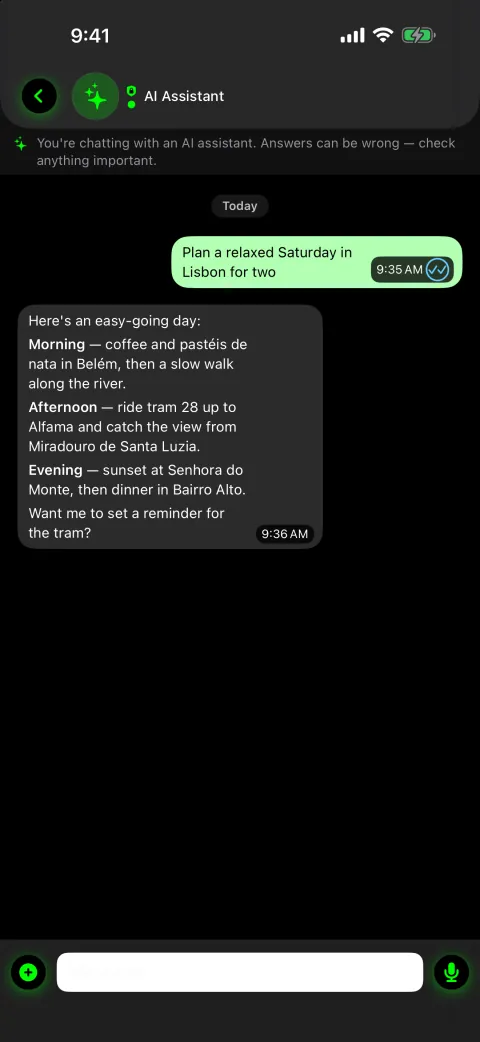
Matrix Vault has an AI assistant baked in. Ask it anything — it can explain a feature, draft a message, translate, or give you advice — running on our own private servers, with no API key to set up.
Try a topic:
AI Assistant
Pick a topic, or tap “Ask the assistant” ↓
59 languages
Talk to anyone, in any language
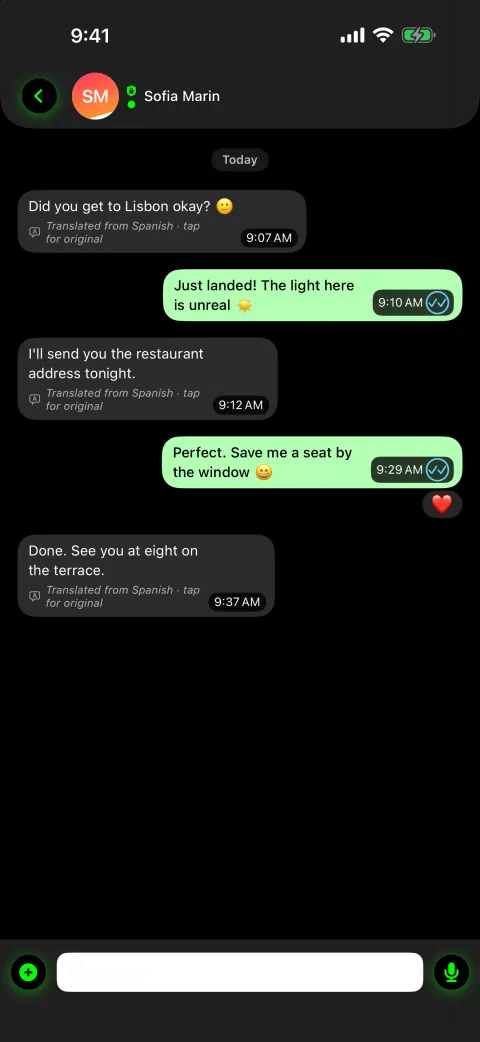
Messages you receive translate on the fly — pick from 59 languages. On iOS 18 and later the translation runs on your device by default, so the text never leaves your phone — and nothing is ever saved.
Translate incoming messages automatically, or with a tap.
On-device translation on iOS 18 and later keeps text private.
Translations are held in memory only, never written to disk.
ChatJapanese
今夜、話せますか?
Tap a translated bubble to see the original
Explore the app ↓
One app. Everything private.
Every tool below lives behind one disguised login. Tap any app to see what it does.
9:41
Tap any app icon to open its details.
Inside the vault
Real app screens, shown with sample data.
Disguised login
Encrypted file vault
Password manager
Crypto wallet seed phrases
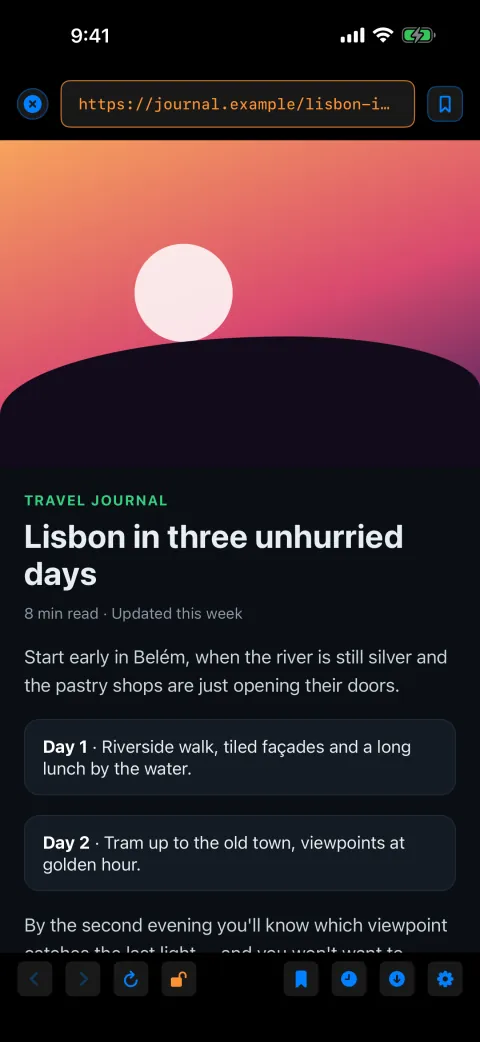
Matrix WebSurf browser
7 disguises
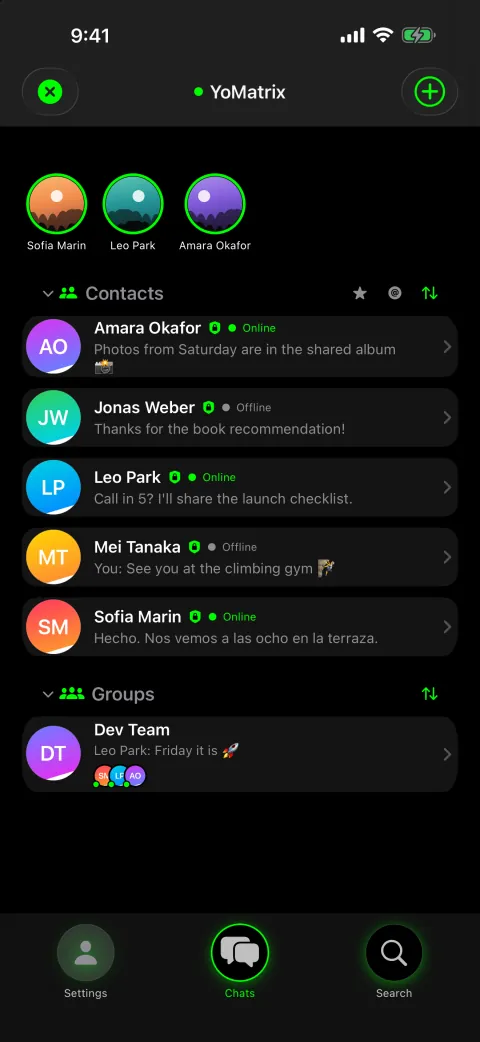
YoMatrix messenger
59-language translation
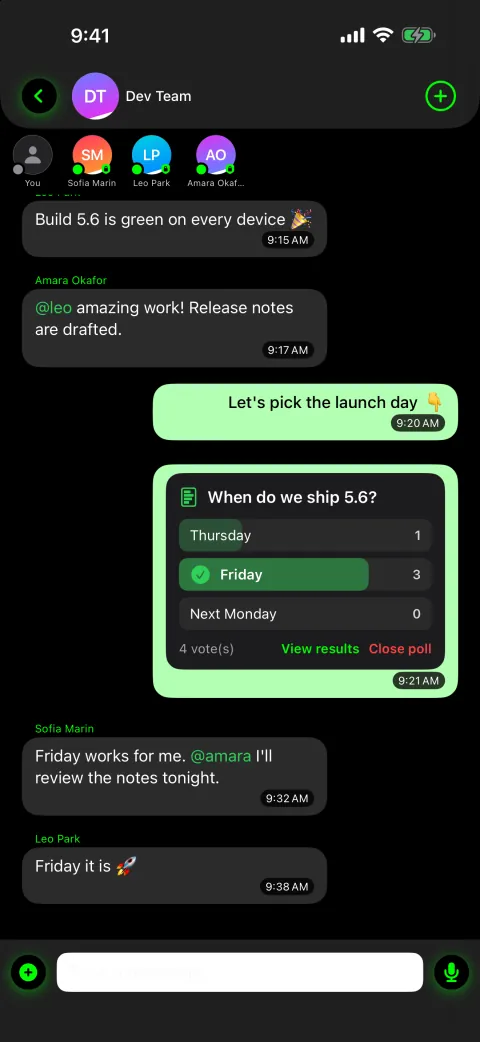
Groups, polls and mentions
Built-in AI assistant
Encrypted stories
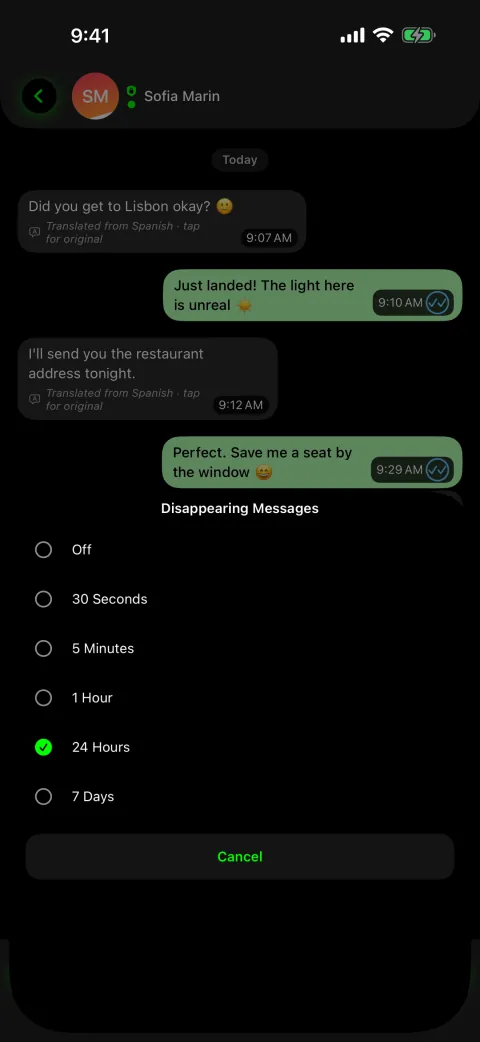
Disappearing messages
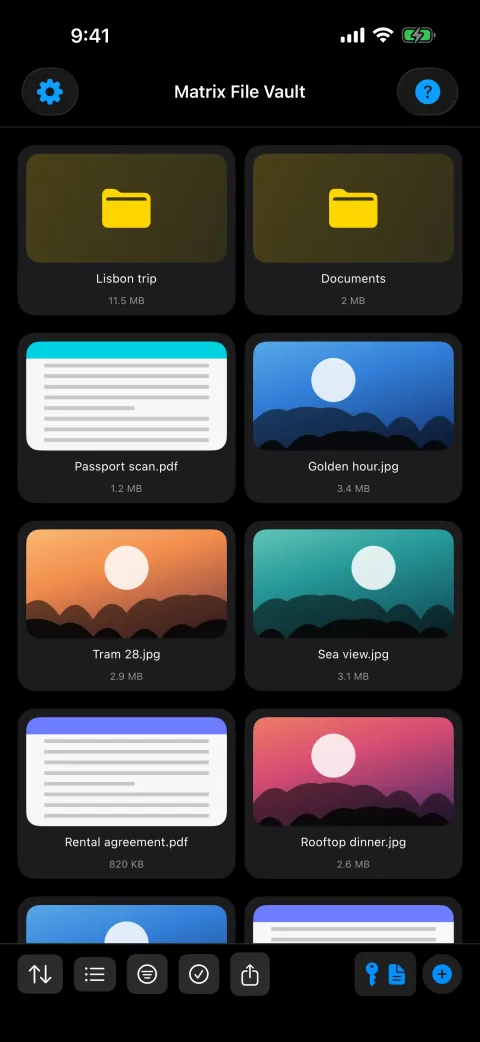
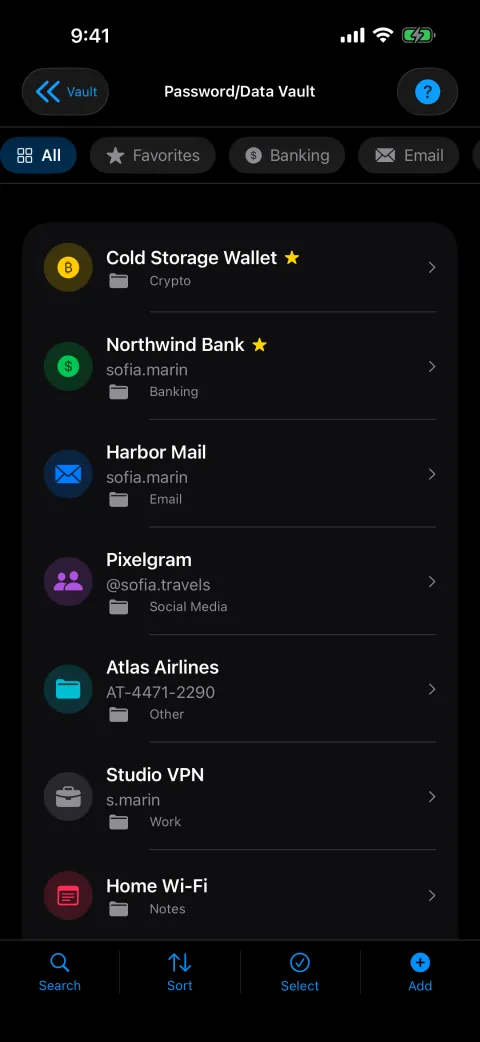
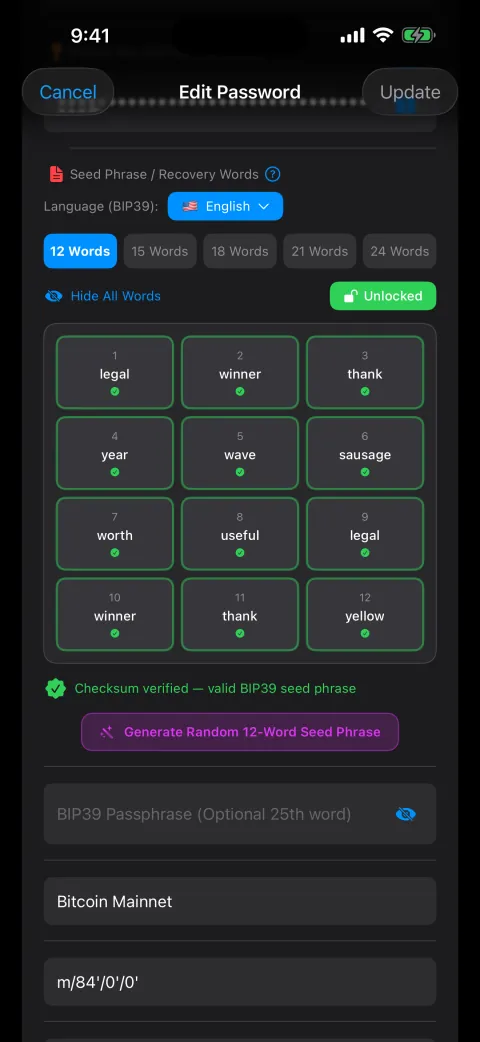
Choose from 7 login faces: calculator, weather, map, timer, a Matrix code screen, Face ID, or the classic vault keypad.The disguise is fully working — the calculator really calculates, the timer really counts — so nothing looks out of place.A secret tap brings up a hidden prompt, and only your PIN (or Face ID) opens the real vault; everyone else just sees a normal little app.You pick your disguise in Settings at any time — the choice never gives away that a vault is hiding behind it.Two completely independent vaults, each with its own PIN, files, passwords, settings and chats.The duress vault is a fully working vault in its own right — add a few everyday files and passwords so it looks lived-in and stands up to scrutiny.There is no setting, badge or telltale anywhere that hints a second vault exists.The duress vault is set up once during onboarding and can never be added or removed afterwards — that's what keeps it undetectable.Everything in the vault is encrypted on-device with AES-256 — the encryption standard trusted for top-secret data.Your PIN is stretched into a key by a deliberately slow process, and that key locks your vault — so every guess costs an attacker time, and a long PIN keeps it safe.The vault key is wrapped by your iPhone's Secure Enclave, so even a full copy of your phone's storage is useless without the device itself.Store photos, videos and any document type, all encrypted on-device.The vault keeps its own encrypted copy, isolated from your Photos and Files apps.Built-in viewers open files right inside the app — they never pass through Photos, Files or another app.17 entry types covering logins, payment cards, identity documents, secure notes and crypto wallet seed phrases.A built-in generator creates strong, unique passwords, and a one-tap copy clears the clipboard for you.Everything is encrypted with the same on-device key as the rest of your vault — one secret protects it all.Browse the web without leaving the app — your history, bookmarks and downloads live only inside your vault.Your browsing history is encrypted with the rest of your vault, and can auto-clear on exit.Downloads go directly into your encrypted vault instead of your phone's open storage.Every message is end-to-end encrypted, so only you and the person you're talking to can read it.Each message is sealed with a fresh, single-use key generated on your device before it's sent.Add contacts by QR code or @username — there's no phone number to share or to be tracked by.YoMatrix is also available as a standalone app — see the link at the foot of the page.Choose a timer of 30 seconds, 5 minutes, 1 hour, 24 hours or 7 days.In one-to-one chats, messages you've read vanish from your phone when the timer runs out; in groups, the timer clears the message for every member.Great for sensitive details you don't want lingering in a chat history.Translate the messages you receive, automatically or with a tap — pick from 59 languages.On iOS 18 and later, translation runs on-device by default, so the text never leaves your phone. An optional translation server is used only if you switch it on.Translations are held only in memory for the moment you need them.Turn voice messages into readable text when it's easier to read than to listen.Transcription runs on your device by default; an optional server engine is used only if you turn it on.Transcripts are kept in memory only, not saved to disk.No phone number or email is required to use the messenger — and none is ever linked to your account.Add people by scanning a QR code in person, or by a unique @username.Your chats aren't tied to your phone number or contacts book.Works with no account or API key — it runs on our own privacy-respecting servers by default.Prefer your own AI? Add a key for Claude, ChatGPT, Gemini, Grok or MiMo — stored only in your encrypted vault.Coming soon: connect your Gmail so it can find and read your mail in plain language — read-only, with access tokens kept in your vault.In the duress vault it stays deliberately neutral, so it never hints that a second vault exists.The assistant is included with Matrix Vault, with fair-use limits on our servers.Your own @matrixvault.app address delivers mail into a dedicated in-app thread, clearly labelled “not end-to-end encrypted,” because email never is.Turn it on or off any time in Settings → Bots → Email Bots.Coming soon: connect your Gmail so the assistant can find and read it — read-only, with access tokens kept in your encrypted vault, never on our servers.Helper bots for reminders, currency and unit conversion, translation, dictionary, news and more — just message them.An open developer API: create a personal webhook link in seconds, or register an app for published integrations.Email and developer-API messages carry a clear “server-relayed, not end-to-end encrypted” badge; helper bots read what you send them so they can answer.Your person-to-person conversations stay fully end-to-end encrypted — bots, email and the API are clearly marked.Post photo and video stories to your contacts, fully end-to-end encrypted.Choose how long each story lives — 1 hour, 24 hours, 3 days or 7 days.The server only ever holds encrypted content, never anything it can read.Back up your vault as a compressed, encrypted file you control.Move your files to a new iPhone directly over your local Wi-Fi — no cloud in between.Optional iCloud backup is encrypted with your PIN before it leaves your phone.Messaging is relayed through our own self-hosted servers, which only ever see encrypted content.No analytics, no ad networks, no data brokers — your data isn't the product.Connections are locked down and verified, so very little is ever exposed to the outside world.Pick a faceChoose the everyday app Matrix Vault pretends to be — a calculator, weather, map, timer, Matrix code screen, Face ID or the classic keypad.7 disguisesChange it any timeLooks ordinaryThe disguise really works — the calculator calculates, the timer counts — so a glance at your phone reveals nothing.Fully functionalNothing looks out of placeEnter your secretYour private entry — a secret tap, then your PIN or Face ID — is the only thing that opens the real vault.Only you know itEveryone else sees a normal appVault opensThe decoy melts away and your real, encrypted vault appears — files, passwords, browser and messenger.Instant unlockEverything inside, encryptedTwo vaultsDuring setup you can create a second, completely separate vault with its own PIN.Real vaultDuress vaultIndependent dataEach vault has its own files, passwords, settings and chats — they share nothing.Separate filesSeparate chatsOpen under pressureIf you're ever forced to unlock the app, you hand over the duress PIN and the duress vault opens.Fully workingLooks like the real thingNothing leaksYour real vault stays hidden, and nothing anywhere hints that a second vault exists.No telltale settingUndetectableSet your PINYour PIN is the single secret that protects everything — it's never stored anywhere in readable form.12–20 charactersNever stored as textStrengthen the keyThe PIN is run through a deliberately slow process that turns it into a key, so every guess is slow — a long PIN makes guessing impractical.Slow on purposeLong PIN, strong keySeal in hardwareThat key is wrapped by your iPhone's Secure Enclave, so a copy of the phone's storage can't be opened anywhere else.Secure EnclaveUseless off the deviceEncrypt on deviceEverything is encrypted with AES-256 right on your phone — a stolen copy of its storage is just unreadable noise.AES-256On-device onlyBrowse privatelyOpen the web inside Matrix Vault's own browser instead of leaving traces in Safari.Built-in browserInside the vaultStay in the vaultYour browsing, bookmarks and downloads stay inside Matrix Vault, not in Safari or your phone's shared storage.Isolated browserEncrypted historyAny history is encrypted with the rest of your vault — and you can have it auto-clear on exit.Auto-clear optionSave into the vaultAnything you download lands directly in your encrypted vault, not your phone's open storage.Encrypted downloadsStraight to the vaultConnectAdd a contact by scanning their QR code in person or entering their @username — no phone number needed.QR or @usernameNo phone numberEncrypt each messageEvery message is locked with a fresh key on your device before it's sent.Fresh key per messageLocked on-deviceRelay blindlyOur own servers pass the encrypted message along — they only ever see scrambled data, never the contents.Self-hosted relayEncrypted in transitOnly the recipient reads itIt's unlocked on your contact's device only — nobody in between, not even our servers, can read it.End-to-endOnly the recipientReceive a messageA message arrives in a language you don't read.Any of 59 languagesTranslate itTap to translate the message into your own language, right inside the chat.In-chat59 languagesKeep it privateOn iOS 18 and later the translation runs on your device by default, so the text never leaves your phone.On-device when possibleText stays putNothing keptTranslations are held only in memory for the moment you need them, never written to disk.In memory onlyNot savedCompressYour vault is packed down into a single compact file.One fileCompressedEncryptThat file is encrypted before it ever leaves the app, so only you can open it.Encrypted firstYou hold the keyBack up or transferKeep the encrypted backup wherever you like, or move your files to a new iPhone directly over your local Wi-Fi.Your storageDirect Wi-Fi transferRestoreOn the new device, your secret unlocks the backup and your whole vault is back.Your PIN or password restores itEncrypted before it leaves
One app. Your whole private life, locked down.
A vault, password manager, private browser and encrypted messenger — all behind one disguised login, all encrypted on your device. Tap any feature to see exactly what it does and how it works.
Distinctive
Distinctive
Distinctive
Built so we can't see your data
Matrix Vault encrypts everything right on your iPhone, and the key that unlocks it is guarded by your phone's secure hardware. No ads, no analytics — and because your vault and messages are encrypted, we can't read them (only what you choose to send to the AI assistant or helper bots is read, so it can answer). iCloud backup is optional and encrypted with your PIN.
No ads, no analytics SDKs, no data brokers — and we never sell your data.
AES-256 encryption, with your key sealed into your iPhone's secure hardware.
Messages travel through our own servers — no ad networks, no data brokers.
Locked-down, verified connections — very little is ever exposed to the outside world.
Frequently asked questions
What exactly is Matrix Vault?+
It's an all-in-one private suite for iPhone and iPad: an encrypted vault for your files and photos, a password manager, a private web browser, and a full end-to-end encrypted messenger — all behind one disguised login. Everything is protected by AES-256 encryption that works on your device.
Is it really encrypted end-to-end?+
Yes. Everything in the vault is encrypted on your device, and messages are end-to-end encrypted, so only the intended recipient can read them. The key that unlocks your vault is guarded by your iPhone's secure hardware; an optional iCloud backup is encrypted with your PIN.
What is the disguised login?+
Matrix Vault can present itself as an ordinary calculator, weather, map or timer app — even a plain Face ID screen. The disguise really works, so nothing looks unusual, and only your correct secret entry opens the real vault.
What is the duress vault?+
You can set up a completely separate second vault with its own files, passwords and chats. If you're ever pressured to unlock the app, you can open the duress vault instead — your real data stays hidden, and there's no telltale anywhere that a second vault even exists. It's set up once during onboarding to keep it undetectable.
Do I need a phone number or account to use the messenger?+
No. YoMatrix, the built-in messenger, needs no phone number and no email. You add contacts by scanning a QR code in person or by a chosen @username, so your conversations aren't tied to your real-world identity.
Which devices are supported?+
Matrix Vault runs on iPhone and iPad with iOS 17 or later. The interface and on-the-fly message translation each cover 59 languages (on-device translation needs iOS 18 or later).
How much does it cost?+
Matrix Vault is a paid app on the Apple App Store — the price will be announced at launch. The vault, password manager, browser, messenger and built-in AI assistant are all included; the assistant has fair-use limits on our servers.
Hide in plain sight.
One app from the App Store — the vault, password manager, browser and messenger all included. Strong privacy is the default — there's nothing to set up.
Coming soon to theApp Store
Matrix Vault is coming soon. Leave your email and we'll tell you the moment it's available.
By signing up you agree to receive one launch email — nothing else. Never shared, deleted on request. Want news about our other products too? Use the contact page.
Please enter a valid email address.Couldn’t reach the server — please try again in a moment.Too many attempts from your network — please try again in a few minutes.Something went wrong — please try again.You’re on the list — we’ll email you when Matrix Vault launches.Sending…
iOSmacOS
Fromthesameworkshop
More privacy-first tools we're building. Take a look: